


Giving AV partners a complementary multi-content workspace for Avocor installations.
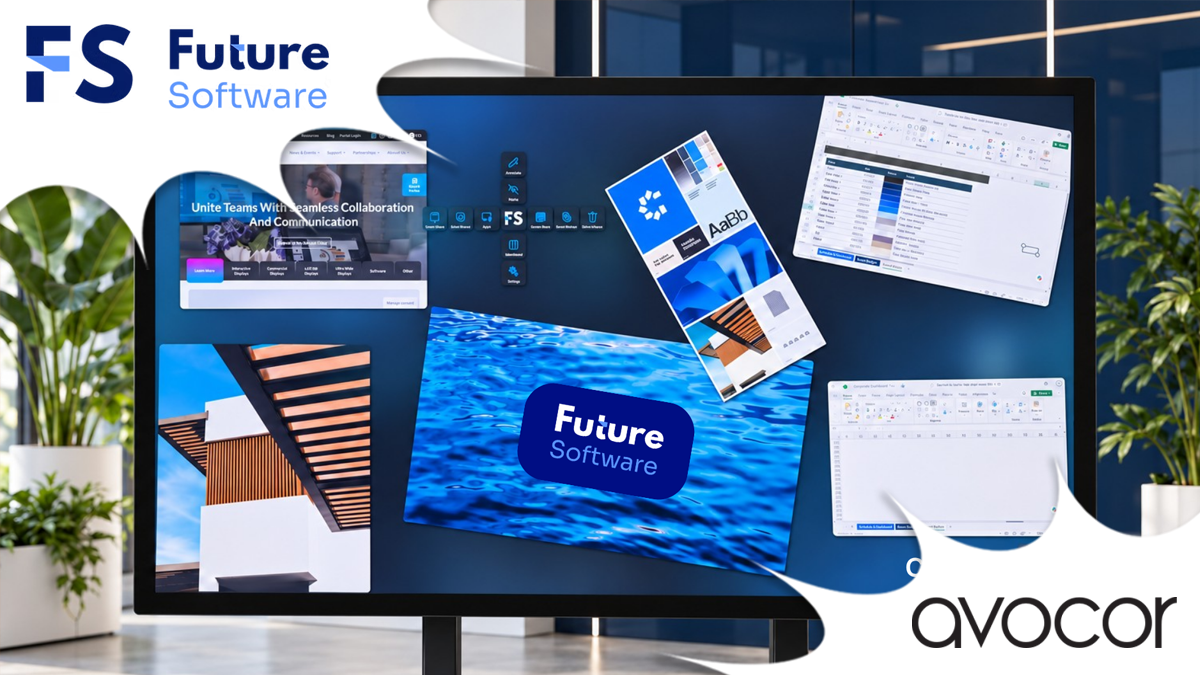
Future Software has confirmed COLL-IN compatibility with the Avocor AVH-6520 65-inch H Series interactive display following testing with an integrated Windows OPS computer and an external PC.
COLL-IN complements the display’s existing whiteboard software by adding a workspace for viewing and interacting with multiple content sources simultaneously. For AV integrators and resellers, this creates an additional application for the display in design reviews, specialist training, project meetings and collaborative working environments.
Add multi-content workflows to the room
The display’s existing whiteboarding tools remain valuable for brainstorming and capturing ideas. COLL-IN extends the room’s capabilities where a discussion requires presentations, PDFs, spreadsheets, images, video and web content to remain visible together.
An engineering team can compare drawings with specifications, while a training team can keep procedures beside demonstration material. Users arrange and manipulate content directly on the touchscreen, annotate points for discussion and save workspaces to support subsequent sessions.
This complementary approach gives partners a clear way to specify COLL-IN around a customer’s workflow, alongside the software already available on the display.
PCAP operation through OPS and an external PC
Testing assessed COLL-IN’s touch-controlled document workflows on the Avocor AVH-6520, including dragging, resizing and rotating content, together with its web interface. Both the integrated OPS and external PC arrangements were evaluated.
An OPS installation keeps the Windows compute platform within the display. An external PC offers flexibility where computing hardware is specified or positioned separately. Partners can select the arrangement to suit the installation and intended content workload.
Plan for content access and session continuity
Beyond the display-level testing, COLL-IN supports cloud-connected content access, saved workspaces and the sharing of annotated material. Authorised users can retrieve prepared content in other appropriately configured COLL-IN rooms, helping organisations maintain continuity across meeting and training spaces.
Future Software works with AV partners and customer IT teams to agree hosting, authentication, training and support requirements. Local and specialist on-premises options are available for projects with specific deployment needs.
Compatibility findings apply to the AVH-6520 and configurations tested, and partners can discuss other display models and compute specifications with Future Software during project design
Related Post: Future Software confirms COLL-IN Compatibility with HP and Poly Devices