



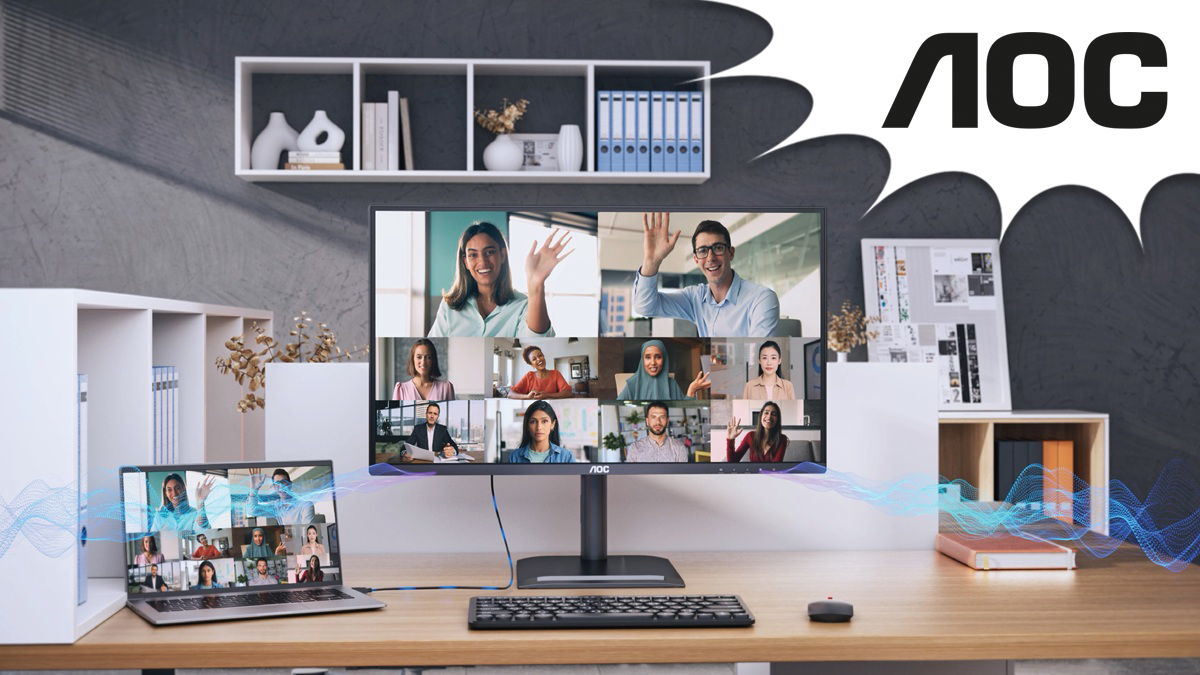
AOC’s B2B Product Manager Ilkan Reyhanoglu and Regional Sales Director UK & Ireland Paul Butler on sustainability, device consolidation, and the monitor as workstation hub
The requirements for professional monitors have changed fundamentally.
Where IT buyers once evaluated displays primarily on screen size, resolution, and price, procurement decisions in 2026 increasingly hinge on sustainability credentials, total cost of ownership, and whether a monitor can replace multiple devices on a desk. Ilkan Reyhanoglu, AOC’s EU B2B Product Manager, explains below what this shift means in practice.
What TCO Certified, Generation 10 means in practice
The introduction of TCO Certified, Generation 10 marks a significant step for the industry. The goal of the latest certification is to push manufacturers beyond incremental improvements: products must use less packaging material, increase the share of recycled components, meet stricter energy efficiency standards, and for the first time carry a minimum five-year warranty.
In practice, that means fewer resources consumed in production, less waste generated at the end of life, and hardware that stays in service for longer. For IT buyers, the benefit is straightforward: lower total cost of ownership, fewer replacement cycles, and the confidence that a TCO Gen 10 certified product has already been independently verified against strict environmental and social standards, removing that burden from the procurement team.
“When we designed the new E4 and P4 series, sustainability was the starting point, not something we added at the end,” says Reyhanoglu. “We eliminated plastic from our packaging entirely, moved to paper-based materials only, and optimised box sizes to reduce the transport footprint across European shipments. At the same time, we built the monitors to meet TCO Gen 10’s five-year warranty requirement, which meant engineering for durability from the ground up.”
Fewer devices, less complexity, more clarity
But the real opportunity, according to Paul Butler, AOC’s Regional Sales Director for the UK and Ireland, lies in rethinking how workstations are configured altogether. Butler says:
“You need to understand how your clients work. In most government organisations, you find a dual-screen environment with multiple devices (two monitors, one docking station, one webcam) and multiple applications open.”
That multi-device setup is widespread, and costly. Each additional component adds to hardware spend, energy consumption, desk clutter, and the carbon footprint of manufacturing, shipping, and disposal. In a recent government health sector deployment, over a thousand workstations were modernised by replacing this configuration with single 34-inch monitors featuring integrated hubs. One device instead of several; reducing CO₂ impact, eliminating redundant hardware, and removing the split-view limitations caused by bezels between two smaller screens.
“It’s a natural evolution of workplace technology,” says Reyhanoglu. “We’ve taken innovations from our gaming heritage such as higher refresh rates and applied them where they genuinely improve the professional experience. A 120 Hz panel makes scrolling through documents and navigating spreadsheets noticeably smoother, and combined with our Flicker-Free and LowBlue technology, it makes a real difference over an eight-hour workday.”
This consolidation trend is driving demand for monitors with built-in docking functionality: USB-C with Power Delivery, integrated Ethernet, daisy-chain support, and in some models, built-in webcams. As hybrid work, sustainability mandates, and device consolidation continue to shape IT procurement, the role of the monitor is shifting from peripheral to workstation centrepiece. Butler comments:
“For our customers, it comes down to fewer devices on the desk, fewer procurement cycles, and fewer headaches. When you remove a docking station, a webcam, and a second monitor from every desk across an organisation, the savings in hardware costs, energy consumption, and e-waste add up quickly, and the environmental impact is real, not theoretical.That’s the conversation we’re having now. Not about specs, but about simplifying the entire workspace.”
As hybrid work, sustainability mandates, and device consolidation continue to shape IT procurement, the role of the monitor is shifting from peripheral to workstation centrepiece.
The E4 and P4 series at a glance
The AOC E4 series ranges from 23.8-inch Full HD to 34-inch ultrawide WQHD, with resolutions up to 4K UHD. Docking models offer USB-C with up to 90W Power Delivery and an integrated RJ45 port, enabling a laptop to connect, charge, and access a wired network through a single cable. Selected models support daisy-chaining via DisplayPort-out, while the 34-inch ultrawide models include a built-in KVM switch and 5 MP webcam with Windows Hello support, directly addressing the kind of workstation consolidation described above.
The P4 series comprises four models currently:
- the 24P4U and 24P4CV (23.8″, Full HD) and
- the Q27P4U and Q27P4CV (27″, QHD)
all running at 120 Hz.
The CV variants add USB-C docking with 96W Power Delivery, an integrated RJ45 2.5G Ethernet port, DisplayPort-out for daisy-chaining, and a built-in KVM switch. A defining feature across the P4 range is the retractable pop-out USB 3.2 hub built into the bottom bezel, keeping the desk clean without sacrificing connectivity.
All E4 and P4 models carry TÜV Rheinland Eye Comfort certification with hardware-based blue light reduction and Flicker-Free technology.
To explore AOC’s E4 and P4 professional monitor series, visit https://aoc.com/uk/tco-certified and https://aoc.com/uk
Related Post: Built for Business, Designed for the Planet: AOC’s Essential E4 series
Related Post: AOC Professional P4 series: 120 Hz Monitors with Pop-Out USB hubs and 5-Year Warranty